Once upon a time, my reading flow was uninterrupted. No UI distractions, no sluggish loading times.
But then, I took a detour.
I needed annotations, so I switched to Okular . It did the job, but over time, I realized something, I wasn’t really annotating PDFs much anymore. What I was doing, however, was reading a lot of EPUBs and Research Papers. And here, Okular fell apart. Its EPUB support? Let’s just say, it exists… barely.
Trying Other EPUB Readers
So, I tried:
- Foliate – Beautiful UI, much better EPUB support, but slow.
- Koodo Reader – Feature-rich, but again… slow.
And in the process, I realized: I didn’t want a bloated reader. I wanted speed and focus.
So, I’m back to Zathura .
My Zathura Workflow
I use Zathura with zathura-pdf-mupdf
and the Gruvbox theme
for a clean, eye-friendly look.
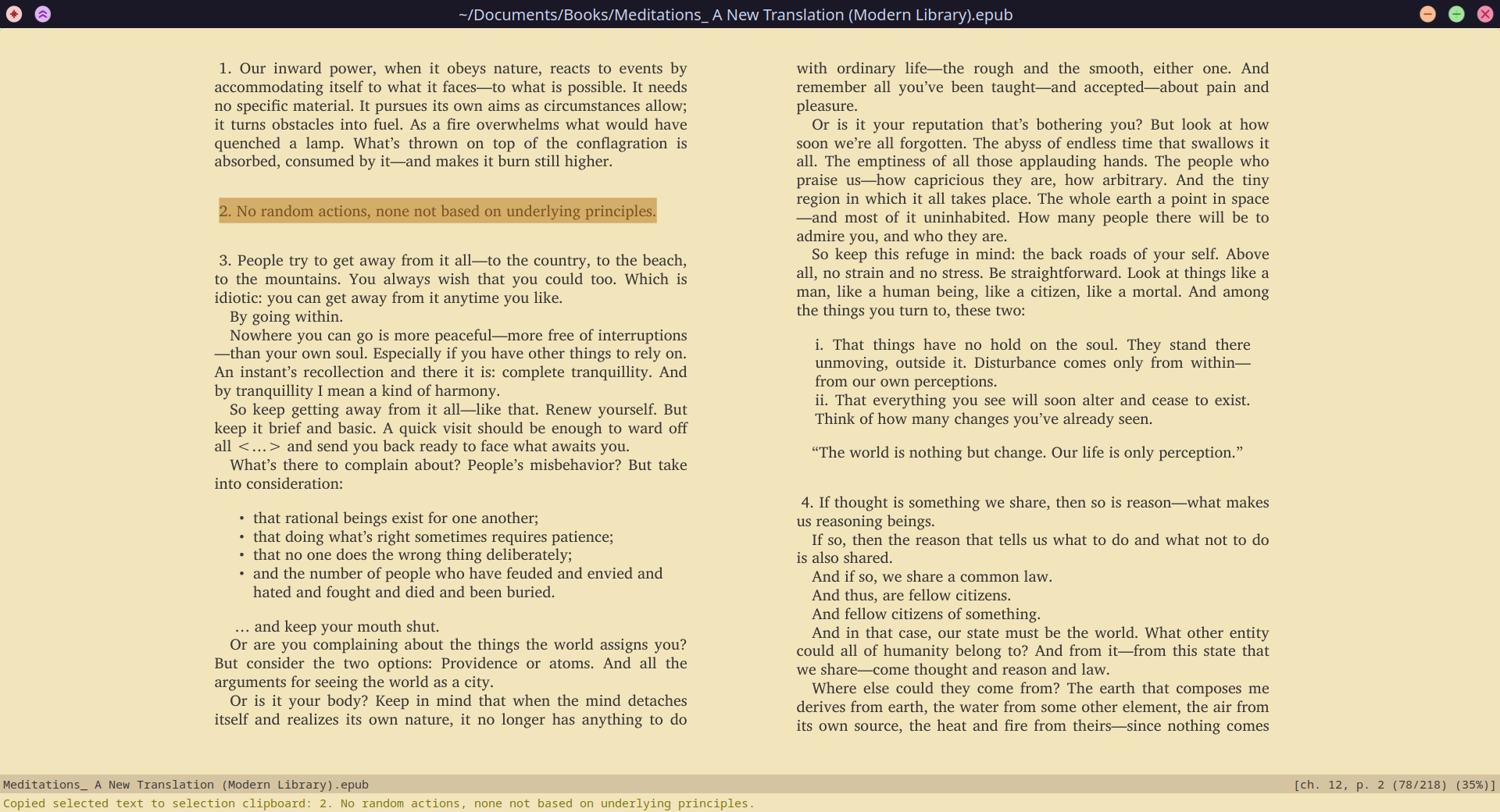
Zathura Reader
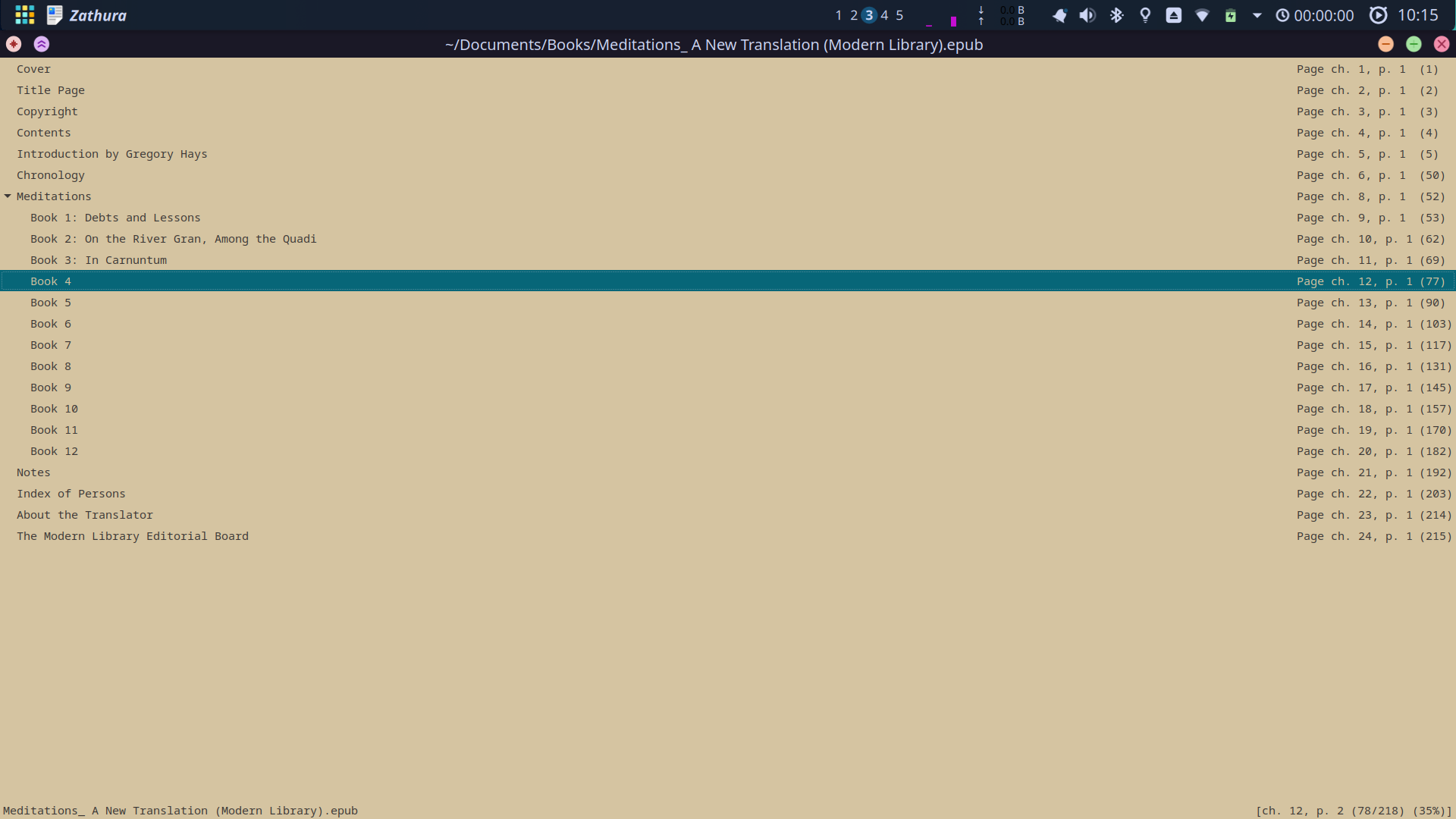
Index view
Configurations and Scripts
Here’s my zathurarc configuration for a Gruvbox-themed experience:
# ~/.config/zathurarc

# General Settings
set guioptions "shv"
set page-padding 2
set adjust-open "best-fit"
set window-height 3000
set window-width 3000
set scroll-wrap true
set scroll-page-aware true
set statusbar-home-tilde true
set window-title-home-tilde true
set statusbar-page-percent true
set statusbar-basename true
set incremental-search true
set selection-clipboard "clipboard"
set database "sqlite"

# Notification Settings
# https://github.com/eastack/zathura-gruvbox
set notification-error-bg "rgba(242,229,188,1)"  # bg
set notification-error-fg "rgba(157,0,6,1)"  # bright:red
set notification-warning-bg "rgba(242,229,188,1)"  # bg
set notification-warning-fg "rgba(181,118,20,1)"  # bright:yellow
set notification-bg "rgba(242,229,188,1)"  # bg
set notification-fg "rgba(121,116,14,1)"  # bright:green

# Completion Settings
set completion-bg "rgba(213,196,161,1)"  # bg2
set completion-fg "rgba(60,56,54,1)"  # fg
set completion-group-bg "rgba(235,219,178,1)"  # bg1
set completion-group-fg "rgba(146,131,116,1)"  # gray
set completion-highlight-bg "rgba(7,102,120,1)"  # bright:blue
set completion-highlight-fg "rgba(213,196,161,1)"  # bg2

# Index Mode Settings
set index-bg "rgba(213,196,161,1)"  # bg2
set index-fg "rgba(60,56,54,1)"  # fg
set index-active-bg "rgba(7,102,120,1)"  # bright:blue
set index-active-fg "rgba(213,196,161,1)"  # bg2

# Input Bar Settings
set inputbar-bg "rgba(242,229,188,1)"  # bg
set inputbar-fg "rgba(60,56,54,1)"  # fg

# Status Bar Settings
set statusbar-bg "rgba(213,196,161,1)"  # bg2
set statusbar-fg "rgba(60,56,54,1)"  # fg

# Highlight Settings
set highlight-color "rgba(181,118,20,0.5)"  # bright:yellow
set highlight-active-color "rgba(175,58,3,0.5)"  # bright:orange

# Default Colors
set default-bg "rgba(242,229,188,1)"  # bg
set default-fg "rgba(60,56,54,1)"  # fg
set render-loading true
set render-loading-bg "rgba(242,229,188,1)"  # bg
set render-loading-fg "rgba(60,56,54,1)"  # fg

# Recolor Book Content
set recolor-lightcolor "rgba(242,229,188,1)"  # bg
set recolor-darkcolor "rgba(60,56,54,1)"  # fg
set recolor "true"
set recolor-keephue "true"  # keep original color

# Keybindings
map r reload
map R rotate
map c recolor
map p print
map g goto top
map <Return> goto
map <C-b> feedkeys ":bmark "
map u follow
map <C-f> toggle_presentation
map [presentation] <C-f> toggle_presentation

# Index Mode
# https://github.com/alezost/config/blob/master/zathura/zathurarc
map [index] i toggle_index
map [index] <Tab> navigate_index toggle
map [index] <ShiftTab> navigate_index expand-all
I use this script to open files.
#!/bin/bash

# Select a book using fd and fzf
files=$(fd --follow --type f --extension pdf --extension epub | fzf --height 75% --reverse --no-info --multi --prompt "Select Book/Paper: ")

if [[ -n "$files" ]]; then
  # Open each selected file
  while IFS= read -r file; do
    if [[ -f "$file" ]]; then
      nohup zathura "$file" >/dev/null 2>&1 &
      disown
      echo "Opened file: $file"
    else
      echo "Unknown selection: $file"
    fi
  done <<<"$files"
else
  echo "No selection made."
fi
Links: